Category: Blogging

Tips and tricks for growing your blog’s traffic, income and overall presence.

  • How I Never Do It All Every Single Day

    How I Never Do It All Every Single Day

    In the survey responses, there were a couple of people who asked me how I managed my time and said they would love to see one of the “day in the life” posts. Y’all, everyday is a whole new ballgame around here. I try to plan out my time wisely, but it never fails that when I do that something else hits the fan and I’m dealing with that.

    So my new time management theory is to just get as much shit done as I can during the allotted time.

    This may mean I only cross one or two things off my ever-growing to-do list. It may mean I cross off four or five things.

    It may also mean I throw my hands up in the air, while flipping the bird to no one or nothing in particular but the imaginary “man” who seems to always be against me and my getting work done. If this happens, then most likely nothing gets crossed off the list and I will consider 2pm an acceptable time to drink a beer.

    In theory, and I really want to emphasize the theory part, this is how my typical day goes – if it’s a good day and the man is on my side for once. This also just pertains to Tuesdays, Wednesdays and Thursdays when the Circus is at preschool. Mondays and Fridays are nothing but straight up survival of the fittest. I usually lose on those days.

    5:30 a.m. – 6 a.m.: At some point during this timeframe, I will have hopefully only hit snooze once, maybe twice. Despite my alarms having motivational and inappropriate names, it seems they still don’t stand much of a chance somedays.

    Funny Alarm Names

    My goal every weekday morning is to be watching the coffee pour forth from the Keurig at 6 a.m. and then stumble to my office, coffee cup in hand afterward.

    6 a.m. – Whatever time the Circus decides to start her day (usually anywhere from 7:30 – 8:00 a.m.): During this time, I schedule some social media if I have a new post up, check and respond to emails (there’s usually a minimum of 75 new ones to sort through) and if time permits, I edit photos or work on writing new posts. Time usually doesn’t permit that. Sometimes, like this morning with this post, I’m still writing it even though I wanted it to go live at 6 a.m. 

    Whatever time the Circus Rises – 9:20ish: Hang out with the Circus – A.K.A. be her personal servant by bringing her apple juice and a princess gummy as soon as she situates herself on the couch. Fix her breakfast 30 minutes or so after she wakes up as she does not take her breakfast immediately upon awakening. Most likely, she will hardly touch her breakfast, so I will spend a ridiculous amount of time spoon feeding her and telling her to chew and not just hold it in her mouth. Then, I’ll brush my teeth and wash my face and find sweats to wear that I didn’t wear the previous day so that the preschool teachers won’t judge me too much. Around this time, I’ll remember that I forgot to let Zoe, our dog, out of her dog apartment and feed her. I’ll run around the house – possibly half naked – doing this. After that, I’ll get the Circus ready. She’ll fight me on brushing her teeth and her hair. Right before it’s time to walk out the door, I’ll remember that I still haven’t made her lunch for the day. I’ll go to toss a bag of Funyuns, a jelly sandwich that I constructed in under 15 seconds and a YooHoo into her lunch box and realize I didn’t clean out her lunchbox from last week’s last lunch and the smell that greets me upon unzipping the lunchbox will be nothing short of toxic.

    9:45 a.m. – 1:50 p.m.: After I drop the Circus off, I usually head home – unless I haven’t been thrifting in a few days. If I haven’t been thrifting in a few days, then I’ll tell myself I’m only hitting a few, but end up going down a rabbit hole because I tell myself that I really need to be on the lookout for stuff for the 70’s Landing Pad. Two hours later, I will have found nothing except damn napkin rings which I really didn’t need, but wanted and will have essentially wasted two whole hours of precious work time.

    If I don’t go thrifting, then I head straight home and work. Depending on what needs to be done for the week (projects, taking photos, editing photos, writing posts, etc.) I will work on that during this nearly 4 1/2 hour block. Usually I’m running back and forth between the garage and my office. I’ll be painting something and while the paint is drying, I’m typing about something or editing photos.

    There’s also a good chance during this timeframe that Bill is going to text me and say he needs something to eat, forgot something, etc. and I’ll be running around fixing that situation.

    1:50 p.m. – 5:00 p.m.: During this time, I pick up the kid. We go get a slush at Sonic or make a milkshake at home afterward just for the hell of it. We play or watch cartoons until 3:00p.m. At 3 p.m., I make her go to her room. She can watch a movie, but I tell her she has to stay in bed. The idea is that I squeeze in a little more work time, while she takes a much needed nap. However, only half the time does she end up taking a nap. The other half, my words have no bearing on her whatsoever and she ends up frolicking all around the house. If by the grace of God, she naps, then I do computer work like photo-editing, post writing, etc. If the man is against me that day and she refuses to nap, then I try to do a little work in between being a dinosaur or the bad guy, helping her change princess costumes or putting Ken’s head back on for the 108th time that day.

    At 5:00 p.m., I usually call it quits and start making dinner. Grunt Labor will usually be home around this time with Bill in tow. After dinner, if there is something work related which is time sensitive and didn’t get done that day, then Grunt Labor will watch the Circus while I work a little more. Right now, we are winding down with basketball season, so for the past few months, we’ve had basketball games at least two nights a week right after dinner. If there’s no ball games and I don’t need to work, then we all chill around the house. The Circus will be in bed by 9 p.m. and Grunt Labor and I will watch a little television after that and then are usually in bed around 10 p.m.

    Please note nowhere in that schedule does it mention cleaning. Or washing clothes. Or dishes. My house is rarely clean y’all. Don’t let my pretty pictures fool you for a second, my floors are usually disgusting most days and there’s a protective cover of dust a few inches thick on my furniture. I clean the entire house maybe once a month or prior to visitors. And even then, Grunt Labor usually does the floors. I don’t wash clothes or dishes – Grunt Labor does that. The bed is never made unless Grunt Labor does it. Essentially, we would be living in a pigsty if it weren’t for him.

    Messy Bedroom

    See, I wasn’t lying. These are un-edited, un-clean and un-styled photos. Real life, y’all. And lord, I know those sheets are hideous, but damn they are so warm and cozy during the winter. And yes, all my art is down from above the bed because I highjacked it for the hall.

    My dresser is always cluttered.

    Dresser

    There’s a stack of books, some of which I’ve read and some of which I haven’t, a fallen down piece of art behind the green bust and a #BO$$BABE sticker that’s falling off the mirror.

    Messy Desk

    My desk is one hot mess and so am I most days.

    Radio

    Barbies have taken up residence in the vintage radio in the living room and apparently some freakish-head-moving-talking unicorn is their protector.

    There is rarely a pretty “styled” surface around here.

    Dog

    For example, the Circus felt the dog holding a (broken) picture frame was better suited wearing Snow White baby’s bow and residing in the living room next to scratch-off lottery tickets that I’m not sure are worth anything or not or how they came to be there.

    I don’t do it all.

    I don’t do it all every single day.

    But I do the best I can everyday and that’s good enough.

    I don't do it all everyday. But I do the best I can and that's good enough.

    blog-signature-summer-15


  • How to Make Your Photos PinWorthy with PicMonkey

    How to Make Your Photos PinWorthy with PicMonkey

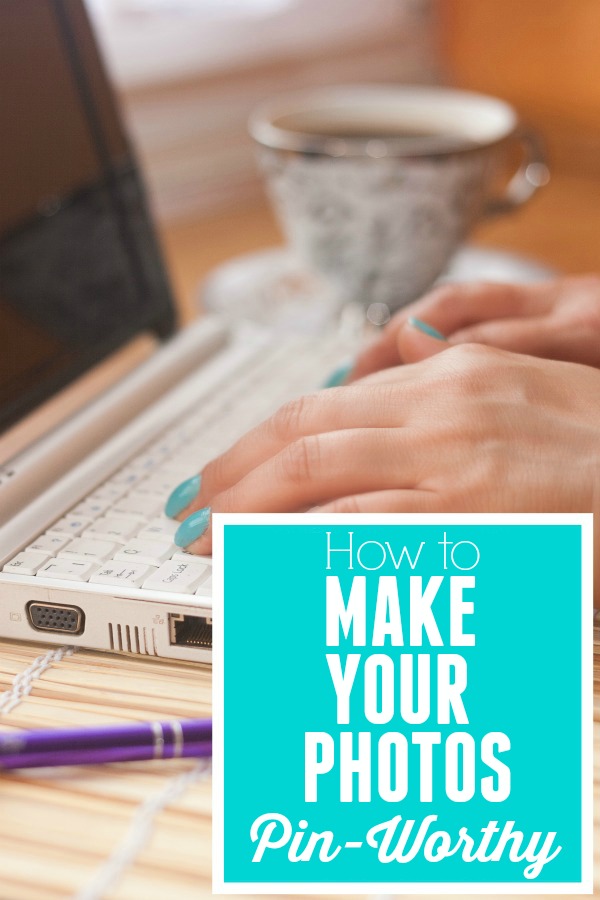
    When I wrote the post on How to Grow Your Blog with Pinterest, I touched on making your photos pin-worthy. You should have at least one photo in your post that is made specifically for Pinterest.

    Create images that people will want to pin over and over again. How to make your photos Pin-Worthy

    This post contains affiliate links for your shopping convenience. Click here to read my full disclosure policy.

    As you guys already know, Pinterest is huge. Huge. Huge. Pinterest is all about photos (we knew that, Jenna!), and as bloggers, our photos can make or break us!

    As bloggers, we want our photos to be pinned and re-pinned over and over again! So, how do we get readers to pin our photos? We must make them pin-worthy!

    Let me give you an example of a non-pin-worthy photo:

    How to Make Your Photos Pinworthy with Picmonkey

    And a pin-worthy photo:

    Pin-Worthy Photo

    See the difference? The pin-worthy photo is bright, clear, and sharp. I added an overlay with the project name over it so that people would know what that pin would lead them to and I also added a watermark with my blog url in the bottom corner. This image is also vertical – vertical photos do better on Pinterest, rather than horizontal ones.

    Having great photos will not only help grow your blog through Pinterest, but it will keep readers interested in your post, and other posts on your blog.

    Here are the steps I take when getting my photos ready for a blog post, and eventually to go on Pinterest. I use PicMonkey features to do all the edits.

    How to Make your Photos PinWorthy

    Step One:

    Open up your photo in Picmonkey. Under Basic Edits, go to Exposure and adjust the levels as needed. Just play with the levels of each item until your photo looks good. Each photo is different, so there is no exact recipe for this. I usually increase the brightness a bit (especially if the photo is dark to begin with), I will increase the highlights a tad, and the contrast a bit as well. Sometimes, I increase the shadows, but not a whole lot. It tends to make the photo too dark.

    Step Two:

    Under Basic Edits, go to Colors. Adjust the saturation and temperature as needed. Typically, if you started out with pretty good color, you may not need to adjust these levels at all.

    Step Three:

    This is when I add my overlays. First, I add the label overlay that usually states the post / project title. Go to the overlays button, the 5th button down on the left. Picmonkey has lots of different labels you can use for this. I typically use one of the banners under Scrapbooky or something under Geometric. If there is some empty space on the photo to start with, I skip the overlay and write the text directly on the photo. Select which one and click on it. Position it where you want it on the photo. Use the bubbles on the corners to size it. You can use the overlay box that pops up beside it to change the color.

    Step Four:

    Now, you need to add text to your overlay. Go to the text button on the left side, the fourth button down. Click add text. Type your text in the box. Change the color and size with the text box that pops up. Change your font with the menu on the left. When you have your text like you want, drag the text box on top of the overlay.

    Step Five:

    At this point, you can create another overlay with text that says your blog’s name using the same steps you did above.

    Step Six:

    Save your photo.

    That’s it! Not too hard, especially once you get the hang of PicMonkey!

    Do you have any tips for making your photos pin-worthy?

    READ MORE OF THE GROW YOUR BLOG SERIES: 

    My Blogging Story

    7 Things Your Blog Needs to Keep Readers Coming Back

    How to Grow Your Blog with Pinterest

    You know you don’t wanna miss any of this crazy.

    Sign up to get my posts delivered to your inbox here.

    Stalk Me Here:

     Pinterest / Facebook / Twitter / Instagram

    Create images that people will want to pin over and over again. How to make your photos Pin-Worthy

  • 7 Things Your Blog Needs to Keep Readers Coming Back

    This is part of the Grow Your Blog Series. Read more posts from the series here.

    If you want your blog to grow, you need your readers to come back for new posts on a frequent basis. There are some things you can do to help ensure they do come back. Some of these are repeats from the 12 Tips to Grow Your Blog, but I felt they should be mentioned here again because they are so important.

    A great checklist of things every blog should have to keep readers. 7 Things Your Blog Needs to Keep Readers Coming Back

    7 Things Your Blog Needs to Keep Readers Coming Back

    Contact Page

    Have a clear, easy to find page or space on your blog where people can contact you via email or social media. I have my email on my “About Me” page, my “Start Here” page, and my “Advertise” page.

    Great “About Me” Page
    I love getting to know the person whose blog I’m reading! Anytime I visit a new-to-me blog and I just love it, I want to find out more about the person who is behind the awesome blog! It doesn’t have to be your life story. If I put my whole life story on my about me page, it would be wayyy too long, bore you in some places, and drop your jaw in others. I will be honest, I am not good at “About Me-s” at all! So, I use photos in my About Me page to help tell my story. Lauren, over at The Thinking Closet wrote a great post about revamping your “About Me” page. Check it out here.

    Clear Categories / Labels
    Make sure you categorize every post with your labels. Keep your categories clear. Example categories may include: DIY, Crafts, Makeovers, etc. Display your Categories/Labels on your sidebar where they can be easily seen. Mine are in the cloud format, rather than the list. This is just a personal preference. I like how it makes the labels bigger that have more posts.

    Social Media Buttons
    I said it in the 12 Tips to Grow Your Blog, and I’m sayin it again. Make sure you have social media buttons where they are easily seen on your blog. This allows people to quickly follow you and stay up to date on your posts.

    Easy to Read Titles, Fonts, & Colors
    Don’t use fancy, swirly hard to read fonts. You may be able to read them just fine, but others may not. Use fonts that can be easily read and keep your colors basic! Don’t use reds, yellows, blues and other colors for the majority of your posts. Its hard to read, and will keep many people from finishing reading a post.

    Turn Word Verification OFF
    Make sure Word Verification is turned OFF on your blog! This is when the box pops up after someone writes a comment asking them to type in the letters and/or numbers. It is so annoying and will keep many people from leaving you comments! To change your comment settings (on Blogger) go to Settings > Posts & Comments and its all there.

    Keep Your Blog Clean and Easy to Navigate
    Do not clutter up your sidebars! Keep everything neat and organized. Have a section designated for sponsors, ads, etc. Also, your sidebar is prime real estate! Use it to showcase your most popular posts to keep people around on your blog longer! Make it easy for people to find something they are looking for. Have pages designated for certain topics (I have Seasonal Decorating, Home Tour, etc.) Have a search bar for people to easily search your blog.

    READ MORE OF THE GROW YOUR BLOG SERIES: 

    My Blogging Story

    7 Things Your Blog Needs to Keep Readers Coming Back

    How to Grow Your Blog with Pinterest

    A great checklist of things every blog should have to keep readers. 7 Things Your Blog Needs to Keep Readers Coming Back

    You know you don’t wanna miss any of this crazy.

    Sign up to get my posts delivered to your inbox here.

    Stalk Me Here:

    Pinterest / Facebook / Twitter / Instagram

  • How to Make Money Blogging (10 Ways to get you started)

    How to Make Money Blogging (10 Ways to get you started)

    Let’s admit it. If you blog, you want to learn how to make money blogging. Yes, I very much enjoy sharing my projects, and reading about all the amazing things you guys do! And I LOVE all the awesome blogging friends I have met through my blog. But, a little money wouldn’t hurt. I do have a slight, ok, huge crafting and thrifting addiction!

    We’ve talked about 12 Tips to Grow Your Blog, How to Grow Your Blog with Pinterest, and How to Grow Your Blog with Giveaways. Now, let’s talk about how to make money blogging. If you are just starting out, this is going to be great for you!

    List of ways to earn money blogging - great for beginners. 10 Ways to Make Money Blogging

    How to Make Money Blogging

    This post contains affiliate links. 

    I’m breaking this down into three basic ways to make money blogging: Ad Networks, Affiliate Networks, and Sponsored Post Networks. Of course, you can always make money by having sponsors that advertise on your blog, but I thought I would keep this post more about networks you can sign up with to make money.

    Ad Networks

    You would place code from these networks onto your sidebar that would then show ads. You would be paid when people look at those ads and/or click on them.

    Google AdSense 

    This is probably the most popular ad network out there. When I first started my blog, I really didn’t think all that much about ads, so they were just randomly placed on my blog. I have moved them to the top of my blog and it has really increased my clicks. They won’t payout until you have $100 in earnings.

    BlogHer

    This is another very popular ad network. You’ve probably seen these ads on the top of sidebars and the BlogHer TV roll above blog headers. Your blog has to meet certain requirements before you can run their ads and the ads must be placed above the fold. No other ads can be above the fold as well. I have signed up to be social influencer with them, but not an ad publisher yet. Go here for more information.

    Content.ad

    Content.ad is a related posts network. If you look at the bottom of my blog posts, you will see something that says “What’s Popular Now.” Some of those are my posts, some are other posts through Content.ad. When someone clicks on one of those other posts, I get a small commission. If someone clicks on one of my posts, I get another page view. Its a nice little win-win situation.

    More basic ad networks: 

    Media.Net

    Rivit Media 

    Sovrn

    Technorati 


    Affiliate Networks

    ShareASale
    This network connects you with online merchants. Once you have signed up with ShareASale, you can apply to become an affiliate with merchants of your choice. There are MANY options, and good ones – one of my favorites on there is Wayfair. You can then place the merchants banners on your blog and insert links into blog posts. When someone clicks on an ad or link, your referral code will be embedded and earn you money if they make a purchase. Sign up for ShareASale here.

    Amazon Affiliates
    Amazon has pretty much any product ever made, so its pretty easy to find some to promote. You can create a widget that displays products of your choice, get banners, and create links embedded with your referral code to put in blog posts. Go here to sign up.

    CJ Affiliates

    CJ Affiliates is very similar to Share-A-Sale. It has quickly become one of my favorite affiliate networks. It features some well known brands like CB2, Minted, World Market and more. Sign up here and use Referral Code 4390477.

    RewardStyle

    Reward Style is another affiliate program that is one of my favorites. It is more geared toward fashion and home goods and includes brands such as Etsy, Target and more.

    VigLink

    VigLink is a great affiliate network because with it, you don’t have to search for merchants to see if they have an affiliate program or not. You just put the regular old link in your post and if the merchant does have an affiliate program with VigLink, VigLink will automatically turn the link into an affiliate link. Sign up for VigLink here.

    Paid Posts Networks

    Clever Girls Collective
    They connect brands with bloggers to do paid blog posts. I’ve seen brands such as P&G, Allstate, Hanes, etc. Go here for more details.

    Sits Girls
    They basically do the same thing as Clever Girls. I have not noticed as many opportunities with them as I have with Clever Girls, but its worth it to sign up. I have heard that when opportunities do come around, they are pretty good. Go here for more details.

    IZEA

    After signing up with IZEA, you will receive leads to paid post opportunities. You can decide if you want to pursue the lead and negotiate price. The price the lead starts out is based on your numbers in Google Analytics. You have to have this set up on your blog before IZEA will accept you. There are many types of different brands. Sign up for IZEA here.

    TapInfluence

    TapInfluence is one of my favorite sponsored post networks. They will send you direct offers when they think you are a good fit for a campaign. Almost all of the offers I have received from them have been perfect fits. You can decline an offer if you don’t think its right for you. Once more, they will require you to connect your Google Analytics account. Go here for more details.

    READ MORE OF THE GROW YOUR BLOG SERIES: 

    My Blogging Story

    7 Things Your Blog Needs to Keep Readers Coming Back

    How to Grow Your Blog with Pinterest

    List of ways to earn money blogging - great for beginners. 10 Ways to Make Money Blogging

    You know you don’t wanna miss any of this crazy.

    Sign up to get my posts delivered to your inbox here. 

    Stalk Me Here:

    Pinterest / Facebook / Twitter / Instagram

    SaveSave

  • How to Grow Your Blog with Giveaways

    How to Grow Your Blog with Giveaways

    Chelsea, from Married Filing Jointly has joined me today to give you guys the lowdown on using giveaways to grow your blog! Thanks so much, Chelsea! Be sure to check out her blog after you read this awesome post.
     
    How to Grow Your Blog with Giveaways
    If you want to ensure that you get a bunch of page views, and are looking for new followers, an excellent way to gain them is by organizing a blog giveaway. Blog giveaways attract a high traffic volume and also help make your blog more popular all while sharing about a product or service with readers.
     
    How to Grow Your Blog with Giveaways
    What Are Giveaways?
    If you are a relatively new blogger, you may not know anything about hosting a giveaway. Giveaways are small contests that are organized by bloggers. They aim at increasing awareness and publicity of their blog. To win an item, you can ask people to like your page, post comments, interact, etc. You can also give your opinions about the product you are giving away and ask people to visit an Etsy shop where the product is sold, Facebook page, etc. After people have entered into your giveaway and left comments, you can randomly pick a winner and send them their prize.
     
    Having a promotional giveaway is great for your advertisers as well, as doing so greatly helps them promote their business. It’s a fact that when an individual receives a free product or service and they love the product, they are more likely to buy it the next time around, and also become a loyal fan and follower of your blog.
     
    Setting up a Giveaway
    Although there are many ways to go about setting up a giveaway, I usually start by having a company who is willing to offer up a product as a giveaway to my readers. Often this is done in cohesion with a product review. For example, either I will contact a company or a company will contact me and ask me to review a product on my site. In turn they will send me a free product to review. I always start by asking the company if they would also be interested in hosting a giveaway on my blog as this will increase the amount of people who read my review post. The product can vary in price. Sometimes, the company offers a product and sometimes they offer a giftcard to their store. Either way is fine.


    You can always purchase an item you think your readers would like to giveaway as well. 

    If a company contacts you about doing a blog post about their company, ask them to sponsor a giveaway! It will give their post more views! 

     
    Once you have the company and product selected you can set up the giveaway. Although there are several ways to go about setting up a giveaway I use Rafflecopter, which is a free service that tracks all your entries for you and will automatically select a winner for you at the end of the giveaway. Once I embed the Rafflecopter html code into my post, I go ahead and write the review of the product and make the post live. 
     
    Then I begin to advertise. The key to hosting a giveaway is in the advertising. I post updates on Facebook, Twitter, and Google + daily to remind those who follow me to enter to win. When you tweet out a reminder make sure you hashtag #giveaway.
     
    There are tons of websites out there that advertise blog giveaways for free. Enter your post in as many of these websites as possible. Sites include Someday Crafts Giveaway Directory  and Blog Giveaways.


    Another great idea is to have an entry (on the Rafflecopter) for when participants share the giveaway on their Facebook, blog, Twitter, etc. This gives your giveaway more exposure, in turn giving your blog more exposure.

     
    One important fact to point out is to be sure to only host giveaways for products and services your readers would like. For example, I would not want to post a giveaway and review of a stroller since I do not have kids yet.
     
    When used properly, giveaways are a wonderful way to gain followers and advertise great products! 

    What are your giveaway tips?

  • How to Grow Your Blog with Pinterest

    How to Grow Your Blog with Pinterest

    Pinterest is big. Wait, let me rephrase. Pinterest is ginormous. Really guys, its huge. A LARGE portion of my blog traffic is due to Pinterest. That’s why I told you to pin your own photos in the 12 Tips to Grow Your Blog post! Because Pinterest is so big, its a great source for growing your blog!

    Here’s how to grow your blog with Pinterest.

    Learn tips and tricks to utilize Pinterest in growing your blog. How to Grow Your Blog with Pinterest
    First off, in order to grow your blog with Pinterest, you need “pin-worthy” photos in your posts. Take a look at most of the pins on your boards. Don’t you have pins that are clear, focused, cropped, and bright? Your photos can make or break you on Pinterest.
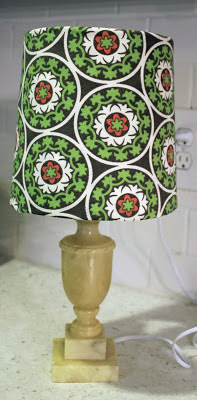
    I’ve been working hard to really make my photos pin-worthy lately. Here’s an example of a photo from a 2011 blog post about a lamp makeover:

    Learn to grow your blog with Pinterest.

    And here is a photo from later on in my blogging career about another lamp makeover:

    lamp makeover

    See the difference? The latter photo is bright, clear, and sharp. I added an overlay with my blog title on it and a banner with the title of the blog post.
    Having great photos will not only help grow your blog through Pinterest, but it will keep readers interested in your post, and other posts on your blog.
    A few more things you need to do to ensure you grow your blog as much as possible with Pinterest:
    • Make sure you have a “Pin It” button on each photo in a blog post. You can read about doing this in my 12 Tips to Grow Your Blog post.
    • Having Pinterest followers is VERY important. Make sure there is a place on your blog where readers can find your Pinterest account and follow along. I have the social media buttons on the top of my sidebar.
    • Pin your own photos! I talked about this in my 12 Tips post, but wanted to remind you! Pin your photos onto more than one of your boards. Some people only follow certain boards and not all of them. Like for my lamp makeover post, I would pin it on my Rain on a Tin Roof board (just for my blog posts) and on my DIY board.
    • Add a Pinterest Tab to your Facebook page. This will allow people who like your Facebook page to see that you have a Pinterest account, look at your pins and follow you. Go here to learn how to install it. My Facebook fan page is shown below with the Pinterest tab.
    Grow your blog with Pinterest
    •  If you haven’t converted your personal Pinterest account to a business account, do it now. This allows your url to be seen on your Pinterest profile (like you see on mine below). Go here to convert your account.
    How to Grow Your Blog with Pinterest
    • Did you know you can see what people pin from your site? Yep, you can! Get ready to stalk this page! Go to: http://pinterest.com/source/YOURBLOGURLHERE Make sure you include the dot com. For example, when I want to see what people are pinning from my site I type in http://pinterest.com/source/rainonatinroof.com. Go see what people are pinning from your blog, it will give you an idea of what people like from your blog and what you could post more about.
    • Don’t just pin photos from your blog. Share the love! Pin things you truly like or that describe you. It helps your followers know what kind of person you are.

    Read more of the Grow Your Blog Series:

    My Blogging Story

    7 Things Your Blog Needs to Keep Readers Coming Back

    Learn tips and tricks to utilize Pinterest in growing your blog. How to Grow Your Blog with Pinterest

    I would love to have you follow me on Pinterest! I pin all sorts of crazy things, y’all!

    What are your Pinterest tips?

    You know you don’t wanna miss any of this crazy.

    Sign up to get my posts delivered to your inbox here.

    Stalk Me Here:

    Pinterest / Facebook / Twitter / Instagram

  • 12 Tips for Growing your Blog

    Since December I have been trying really hard to build and grow my blog into something great. I started this blog back in August 2011. I was going full speed ahead (although my photos from those posts are definitely lacking), and then I got pregnant. I felt miserable and blogging was the last thing on my mind. I would post every now and then, but with no regularity. But this past December, I decided to do this blogging thing all the way. I love doing it, and I love following other amazing blogs and getting great ideas – its my passion.

    So, back at the start of December, I had around 40 GFC followers, 20 feed subscribers, not even close to 100 facebook followers, and about 100 Pinterest followers. (I don’t do Twitter – I know, I must be the only one in the world who doesn’t. I just can’t take it on right now.) Now, as of this post I have 170 GFC followers, 92 feed subscribers, 330+ Facebook followers, and 366 Pinterest followers. I’m not bragging. I am no where near MANY other amazing blogs. But, I am proud of the growth of my blog in the past three months. I still have a LONG way to go! All of the tips below are things I have done, and still do, to grow my blog in the past three months.

    Realistic tips that anyone can do to grow their blog. 12 Tips to Grow Your Blog

    Tips for Growing your Blog

    1. Post on a Regular Basis
    Do not make my mistake. When I got pregnant, I rarely posted at all. My blog was stagnant. If you want your blog to grow, you have to post on a regular basis! This doesn’t mean you have to post every single day.

    Tips for Growing Your Blog
    At least, I ain’t got time for that! There’s a nine month old running around here, a house to clean, and dinner to cook! I try to post at least three times a week, usually 3-4 times a week.
    2. Add a “Pin it” Button after your images.

    Y’all, Pinterest is HUGE – and getting bigger everyday! Do not underestimate the power of the pin! TONS of my traffic (and from what I’ve read, many other blogs traffic) comes from Pinterest. By having a “Pin It” button on every image, it makes it easy for readers to pin your image, and then their followers see it, re-pin, visit, and the cycle continues.

    3. Pin Your Own Posts
    That’s right, I said it. People follow you on Pinterest because they like what you pin. What you pin is probably similar to what you post! Pin your posts! Your followers will re-pin and their followers will re-pin and the beautiful cycle mentioned above ensues!

    4. Social Media Buttons
    Have social media buttons placed where followers can easily see them and use them to follow along. Mine are on the top of my sidebar. You can get free social media buttons in all different colors here.

    5. USE Social Media
    Put links to your posts on your Facebook page, Tweet it, share it on Google+. Show “teaser” post photos on Facebook. And once more, pin your images!

    6. Put the Best Image at the Top of Your Post
    I made this mistake when I started blogging. I would do a “before and after” project, and always show the before at the beginning, which one would normally do, except in blogging, and the after at the end of the post. You need to show readers your “after” photo first though, to draw them in and make them want to read about how you got to the “after.”

    7. Highlight your Most Popular / Best Posts on your Sidebar
    That sidebar is prime real estate! Put an image with a link to the post. This keeps readers on your blog longer, which means they might follow along if they keep seeing your amazing work!

    8. Link Parties, Link Parties, Link Parties
    Link up your posts, people! This gets your blog and posts out there for potential readers to see! You can’t just post something, walk away, and expect readers to come check it out. You have to promote it!

    9. Visit, Visit, Visit
    Don’t go link up at a party and not visit other posts! How rude!

    Tips for Growing Your Blog

    Couldn’t resist Stephanie’s famous line from Full House. Anyway, you want people to come view your posts, so shouldn’t you view theirs as well?! You don’t have to visit other posts right that second, but do go back and try to visit a few and leave a nice comment.

    10. Comment, Comment, Comment
    Leave a comment for the link party host saying thanks. Comment on the links you visit. Comment, comment, comment! When you comment on someone else’s blog, they are more likely to come visit your blog, and possibly follow (especially if you follow them). When someone comments on your blog, respond to the comment, go visit their blog, and comment! Everyone LOVES comments!

    Another important thing about comments – make sure word verification is turned OFF on your blog! This is when the box pops up after someone writes a comment asking them to type in the letters and/or numbers! No one wants to deal with that when leaving a comment! If you are worried about getting comments from spammers, set your comment settings to where no anonymous users can comment. To change these settings (on Blogger) go to Settings -> Posts & Comments and its all there.

    11. Guest Post at other Blogs
    If you see an opportunity to guest post at another blog, go for it! When you post at another blog, some of their readers will visit your blog, and may become followers.

    12. Swap Buttons or Links with Other Blogs
    Many bloggers love to swap buttons and links! This gives you some advertisement and them as well! Check out blog’s advertise pages to see if they swap buttons or email them. Include swap buttons or links on your sidebar under a “Blogroll.”

    I hope that these tips help you out in growing your blog! I am not an expert, by any means, but these are just a few little things I’ve learned in the past few months and thought it might be helpful to you!

    If you have any tips, I would LOVE to hear them! Please leave a comment!

    Read more of the Grow Your Blog series: 

    My Blogging Story

    7 Things Your Blog Needs to Keep Readers Coming Back

    How to Grow Your Blog with Pinterest

    Realistic tips that anyone can do to grow their blog. 12 Tips to Grow Your Blog

    You know you don’t wanna miss any of this crazy.

    Sign up to get my posts delivered to your inbox here.

    Stalk Me Here:

    Pinterest / Facebook / Twitter / Instagram